What Is Digital Twin Technology in Education? How It Works
Digital twin technology in education means giving students a live virtual copy of a real object, machine or system, so they can study it, test it and improve it on a screen. The twin is not just a 3D drawing. It is connected to the real thing through data, so when the real object changes, the twin changes too.
Factories, airports and power plants have used twins for years. Now the same idea is reaching classrooms and college labs. This guide explains how it works in plain English and gives a simple four level model that any school can use to see where it stands.
A Digital Twin in One Simple Example
Imagine your school has a solar panel on the roof. Now imagine a model of that panel on the computer lab screen. A small sensor on the roof sends the real sunlight level, temperature and power output to the model every minute. Students can see the panel working live, compare today with yesterday and ask questions like “What happens if dust covers half the panel?” They change the dust value on the twin and watch the predicted power drop.
That is a digital twin. A real thing, a virtual copy and a stream of data that keeps them in sync. You can read a more formal definition on Wikipedia’s digital twin page.
The Three Parts of Every Digital Twin
Every twin, from a jet engine to a classroom fan, has the same three parts.
- The physical object. The real machine, building, plant or even a human body.
- The virtual model. A 3D model plus the rules of how it behaves, such as how heat flows or how gears turn.
- The data thread. Sensors, often part of the Internet of Things, send real readings to the model. In advanced twins, the model can also send instructions back.
Most people only notice the second part because it looks impressive. In teaching, the third part matters most. The data thread is what turns a pretty model into a live lesson.
How Digital Twin Technology in Education Works Step by Step
Here is the typical flow of a twin based lesson.
- Observe. Students look at the twin and the real object side by side.
- Measure. They read live data, such as speed, temperature or current, from the twin’s dashboard.
- Predict. They change one value on the twin, like load or speed, and predict the result before the model shows it.
- Compare. They check the twin’s answer against their prediction and, where safe, against the real object.
- Improve. They suggest a design change and test it on the twin first.
This flow mirrors how real engineers work, and it is the core of digital twin technology in education. Students are not only learning a topic. They are learning a professional habit: test virtually, then act physically.
The Four Levels of Digital Twin Technology in Education
Many schools say they “use digital twins” when they really use 3D models. That is fine, but it helps to know the difference. We use a simple four level ladder.
| Level | What it is | Data link | Classroom example |
|---|---|---|---|
| Level 1: Model | A 3D model you can rotate | None | Exploring a car engine on screen |
| Level 2: Simulation | A model with physics rules | Students enter values | Testing bridge loads virtually |
| Level 3: Digital shadow | A model fed by real sensors | One way, real to virtual | Live dashboard of the school’s water tank |
| Level 4: Full twin | A model that also controls the real object | Two way | Changing a robot arm’s path on the twin and the real arm follows |
A school starting with digital twin technology in education does not need to jump to Level 4. Levels 2 and 3 already give most of the learning value at a fraction of the cost. The honest goal is to move one step up the ladder each year.
Why Digital Twins Teach Better Than Textbooks for Some Topics
A textbook shows a system frozen at one moment. A twin shows it changing, so with digital twin technology in education students see the system move. Many science and engineering ideas are about change: how heat spreads, how a motor speeds up, how traffic builds. Seeing change over time is exactly what students struggle to imagine from a static diagram.
There is also a confidence effect. When a student’s prediction matches the twin’s result, they feel they truly understand. When it does not, the gap gives the teacher a perfect starting point for discussion.
Real Examples of Digital Twin Technology in Education
Here are three ways institutions already use the idea. In engineering colleges, students run a twin of a small CNC machine and spot tool wear from vibration data before the real tool breaks. In nursing schools, a twin of a patient’s vital signs lets trainees respond to a sudden drop in oxygen without any real risk. In agriculture courses, a twin of a greenhouse links soil moisture sensors to a model, so students can test watering plans on screen first.
Each example follows the same pattern. Digital twin technology in education works best when a real system is too costly, too slow or too risky to experiment on directly.
Where Digital Twins Fit with XR
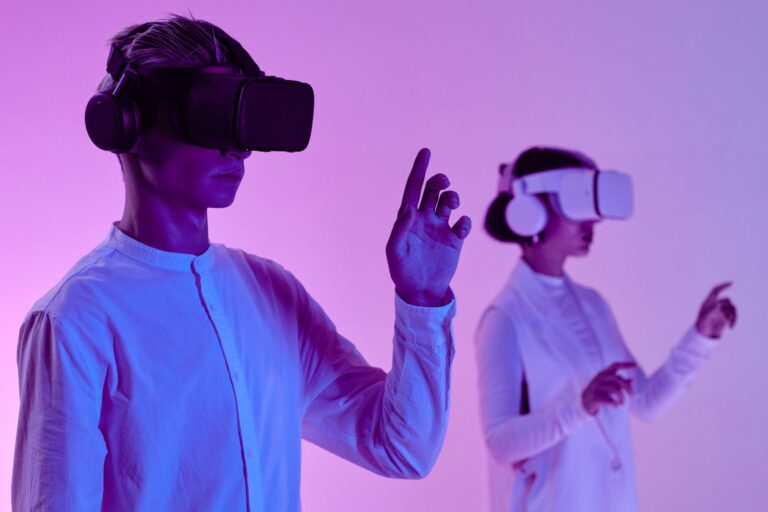
Digital twins and extended reality are often mixed up. A twin is about the data and behaviour of a real system. XR is about how you view and interact with it. Put a twin inside a VR headset and students can walk around a live factory model. Show it on a tablet and they can study it at home. If you are new to XR, our guide on how XR learning works covers the basics.
A Starter Project Any College Can Try
Here is a low cost project that builds a Level 3 twin in one semester.
- Pick one real object on campus, such as a ceiling fan, water pump or solar panel.
- Add two or three cheap sensors (current, temperature, vibration).
- Send readings to a free dashboard tool.
- Build a simple 3D model and link the readings to it.
- Ask students to predict faults before they happen.
This single project touches electronics, programming, data analysis and maintenance planning. That is the real power of digital twin technology in education: one object, many subjects.
Challenges of Digital Twin Technology in Education
- Skills: teachers need short training on the tools.
- Data quality: a twin is only as good as its sensors. Bad readings teach wrong lessons.
- Scope: start with one object, not a whole campus.
At ARCS we help institutions plan this step by step. You can learn more on our Digital Twin Technology page.
Frequently Asked Questions
Is digital twin technology in education expensive?
It does not have to be. Levels 1 and 2 need only software. Level 3 needs a few low cost sensors.
Which subjects use digital twins the most?
Mechanical, electrical and civil engineering lead, followed by physics, healthcare training and agriculture. For more uses, see our post on the benefits of digital twin technology for students.
Do students need coding skills?
Not to use a twin. Building one, though, is one of the best ways to learn coding through digital twin technology in education.
Conclusion
Digital twin technology in education turns real objects into live, testable lessons. Start with the three parts, find your level on the ladder and pick one object on campus. Students will learn the habit every modern engineer needs: try it on the twin first. Contact ARCS to plan your first twin project.